What Is a 3D Product Configurator (and Where Do They Actually Work)?
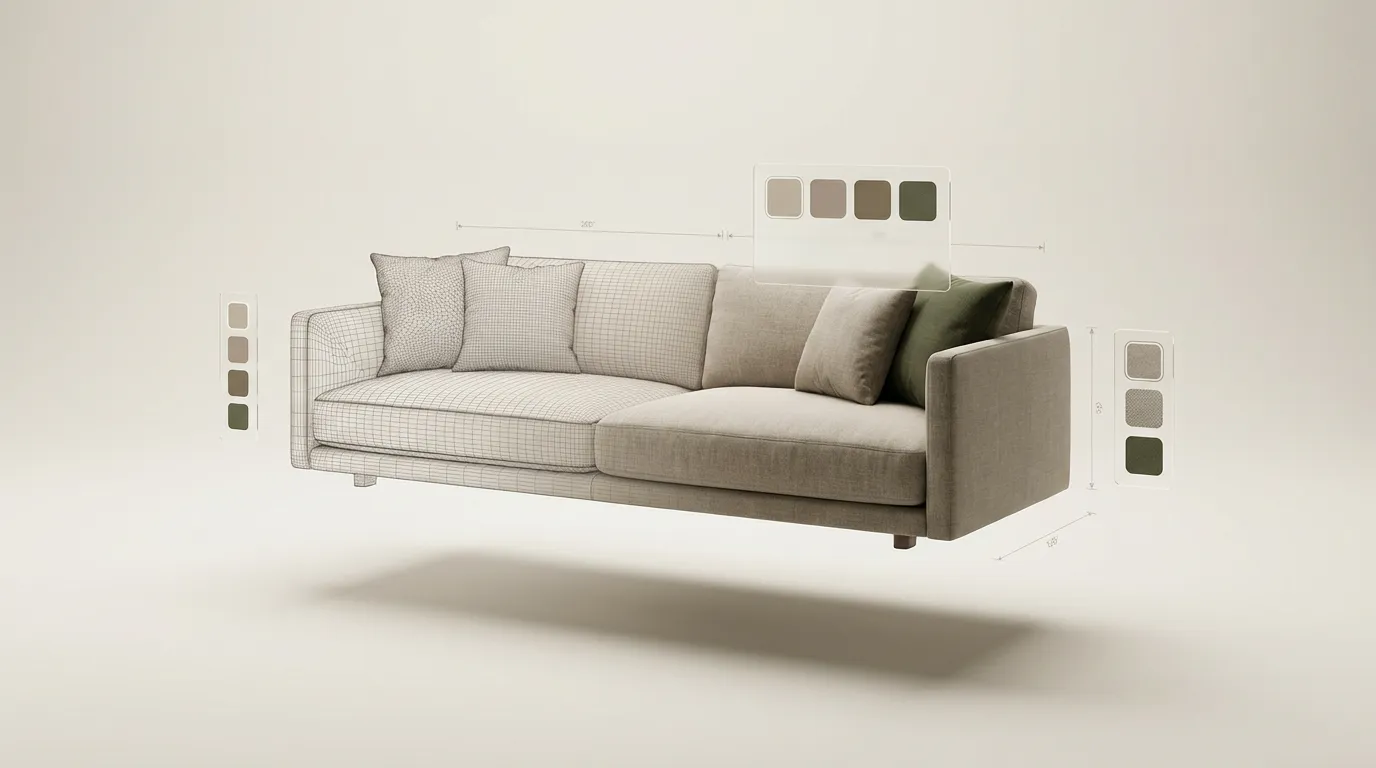
A 3D product configurator is a browser-based tool that lets someone customize a product, picking options like color, material, size, and components, on an interactive 3D model that updates in real time. It runs on any phone or desktop without an app or plugin, and the user can rotate, zoom, and inspect the product from every angle as they build it.
If you sell a product with options, you already know why this matters. Someone lands on your product page, sees three photos and a dropdown menu, and has to imagine what "walnut finish" looks like on "the L-shaped layout" in "the 94-inch size." Some people will figure it out. Most won't bother. A configurator removes the guesswork: instead of asking people to imagine, you let them build. Here is what's actually happening behind the scenes, how configurators compare to the alternatives, and where they make the biggest difference.
How a 3D configurator actually works
Your customer opens a product page, and instead of scrolling through a gallery of pre-shot photos, they interact with a real-time 3D visualization. They pick a color, the model updates. They change the size, it updates again. They rotate it, zoom in on the stitching, look at it from underneath if they want to. No app downloads, no plugins, nothing installed on their device.
Under the hood, it's built on WebGL, a graphics technology that has shipped in every major browser for years, and libraries like Three.js that sit on top of it. Together they use the device's own graphics processor to render the scene in real time, the same basic approach a video game uses. The materials look realistic because they use physically based rendering (PBR), which simulates how light actually behaves on different surfaces. Leather looks like leather. Brushed steel looks like brushed steel.
The 3D models themselves are ordinary files, usually in the glTF or GLB format, which is the web standard for 3D the way JPEG is for photos. They are served like any other website asset: the browser downloads the model and textures, and from that point everything happens locally on the device. A well-optimized product model is comparable in size to a handful of high-resolution photos.
The key parts of any 3D product configurator are straightforward:
- A 3D viewport where the product lives
- Configuration controls for picking options like materials, colors, and sizes
- A rules engine that knows which combinations are valid (you can't put a glass top on a frame that doesn't support it)
- An integration layer so the configuration goes somewhere useful when the user is done
That last part deserves a word, because it answers the "where does the data go?" question. A finished configuration is just structured data: the list of options someone picked. Depending on the build, it can flow into a shopping cart with live pricing, generate a quote or spec sheet as a PDF, land in a CRM so a sales rep can follow up, or simply produce a shareable link. The 3D part is what the user sees; the data part is what makes it a business tool rather than a toy.
One practical note on performance, since it's the most common worry. Whether a configurator feels fast has less to do with the user's device than with how the assets were prepared. Compressed textures, sensible polygon counts, and loading materials only when they're selected keep things smooth even on an average phone. A sluggish configurator is almost always an optimization problem, not a limit of the technology.
3D configurator vs. 360 photos vs. AR
These three get lumped together, but they solve different problems. An honest comparison saves you from buying the wrong one.
360 product photos
A 360 spin is a sequence of photographs of a real product, stitched together so it appears to rotate. It looks great and it's cheap to produce, but it can only show what was photographed. If your product comes in one or two fixed versions, 360 photography is often all you need, and a configurator would be overkill. The moment options multiply, it breaks down: you can't photograph every combination of a sofa with forty fabrics and three layouts.
3D configurator
A configurator renders real geometry, so any combination of options can be displayed live, including combinations no one has ever photographed. That's the core trade: more upfront work to build the model, in exchange for unlimited combinations afterward. It's the right tool when the number of valid configurations is larger than the number of photos you could reasonably shoot.
Augmented reality (AR)
AR places a 3D model into the user's real room through their phone camera. It's a complement to a configurator, not a competitor: it answers "will it fit and how does it look in my space?" rather than "which options do I want?" Because AR needs the same 3D model a configurator uses, it's usually added on top of an existing configurator rather than built instead of one. If you're choosing where to start, start with the configurator; AR is the upgrade, not the foundation.
What they're used for
Most articles treat configurators as an e-commerce widget. E-commerce is one use, but in practice the same technology shows up in four distinct jobs.
Sales demos
For companies selling large, configurable, or expensive products, a configurator replaces the crate of samples and the static slide deck. A rep opens a link in a meeting, builds the customer's exact configuration on screen, and sends them away with something they can replay and share internally. This is the core of what we build as 3D sales tools.
Training simulations
The same real-time 3D scene that sells a product can teach one. Training configurators walk a user through procedures on a piece of equipment, with steps, correct and incorrect states, and scoring, so people can practice on a browser model instead of tying up real hardware. We cover this use on our training simulations page.
Quoting and specification
In B2B, the configurator's output matters more than its visuals. A buyer specs out the machine, the office system, or the fleet vehicle, and the tool produces a quote or spec sheet without a week of email back-and-forth. This is where the rules engine earns its keep, because B2B products tend to have real constraints between options.
E-commerce product pages
The classic use: a configurator embedded in a product page, wired to live pricing and the cart. This is where most of the published performance data comes from. Shopify has reported that products with 3D or AR content see 94% higher conversion rates on average than products without.
All four jobs run on the same foundation: a product modeled in 3D, option logic, and an integration. The difference is what happens with the result, which is why the build is best treated as custom development rather than a one-size widget.
Industries where configurators make the biggest difference
Not every product needs a configurator. A t-shirt that comes in five colors? Product photos are fine. But once you get into products with real variation, where the number of possible combinations makes a full photo shoot impractical, that's where things get interesting.
Furniture and home furnishing
This is the most natural fit. A modular sofa with hundreds of fabric options and multiple layout configurations has thousands of possible combinations. You're not photographing all of those. A 3D furniture configurator lets the customer assemble their exact sofa, see it in the fabric they want, and feel confident making the purchase. The numbers back this up: DFS, the UK furniture retailer, reported a 112% increase in conversion rate among shoppers who used its 3D visualization tool.
Home improvement
Kitchens, bathrooms, decks, flooring. These are big purchases where people are combining multiple products into one space. Picking tiles from one catalog, fixtures from another, and a vanity from a third doesn't give anyone a clear picture of how it all fits together. A 3D configurator puts everything in one view. Home Depot reported 35% fewer product returns after adding 360-degree and 3D product imagery, because customers finally understand what they're buying before it shows up.
B2B and industrial equipment
This one surprises people. Manufacturers selling configurable machinery, commercial furniture systems, or fleet vehicles deal with long sales cycles and a lot of back-and-forth. An interactive product configurator lets buyers spec out what they need, generate a quote, and show it to their team, all without waiting for a sales rep to build a proposal. For the selling side, it shortens engineering review time too, because the rules engine rejects invalid combinations before they ever reach a quote.
Fashion and accessories
Custom jewelry, shoes, bags. Anything where the customer is choosing materials, colors, and personal touches. Jewelry brands that have added configurators consistently report fewer returns, because people can actually see the ring they designed before it ships. When someone's choosing between rose gold and platinum, a real-time 3D preview removes the guesswork entirely.
Configurators are not limited to e-commerce, either. They're being used in education and technical training and even set design and pre-production for film and photography.
What one costs
Custom builds at ComeFigure start at $4,999 with a fixed quote, and a typical project takes four to six weeks from kickoff to launch. SaaS platforms take a different route, renting you a template-based configurator for a monthly subscription instead. We break down the full price ranges, the cost drivers, and the three-year custom-versus-SaaS math in our 3D product configurator cost guide.
Frequently asked questions
Is a 3D configurator the same as a product customizer?
Not quite. "Product customizer" usually refers to 2D tools that swap flat images or preview a printed design, the kind used for t-shirts and mugs. A 3D configurator renders an actual three-dimensional model you can rotate and inspect, and it can handle structural changes like size, components, and layout, not just surface graphics. The terms overlap in marketing, so the practical test is whether the preview is a real 3D model you can spin around.
Do 3D configurators work on phones?
Yes. WebGL, the technology behind them, is supported by every modern mobile browser. A well-built configurator adjusts model detail and texture sizes for mobile hardware, so it stays smooth on a phone. Since mobile makes up the majority of e-commerce traffic, this is a baseline requirement, not a premium feature.
Do you need an app or plugin?
No. A 3D configurator runs directly in the web browser using WebGL, which has been built into Chrome, Safari, Firefox, and Edge for years. There is nothing to download or install, on desktop or mobile. The customer just opens a web page.
If your product falls into one of these categories, the next question is whether the numbers actually back up the investment. We dig into the real conversion data, return rate reductions, and ROI figures in Do 3D Configurators Actually Boost Sales? Or, if you're curious about pricing, see our 3D product configurator cost breakdown.

See One in Action for Yourself
Try a live configurator, or tell us about your product and we'll point you somewhere useful.